Turn AI coding CLIs into AI employees on your chat apps
Claude Code, Codex, Antigravity, Grok and other AI tools that live in a terminal join LINE, Telegram, Discord, Slack and 7 more chat apps once DuDuClaw is plugged in, and take requests there.
A judge reviews their work before it counts as done, they remember what they did, and every call's cost goes into a ledger. It is one binary that runs on your own computer or server.
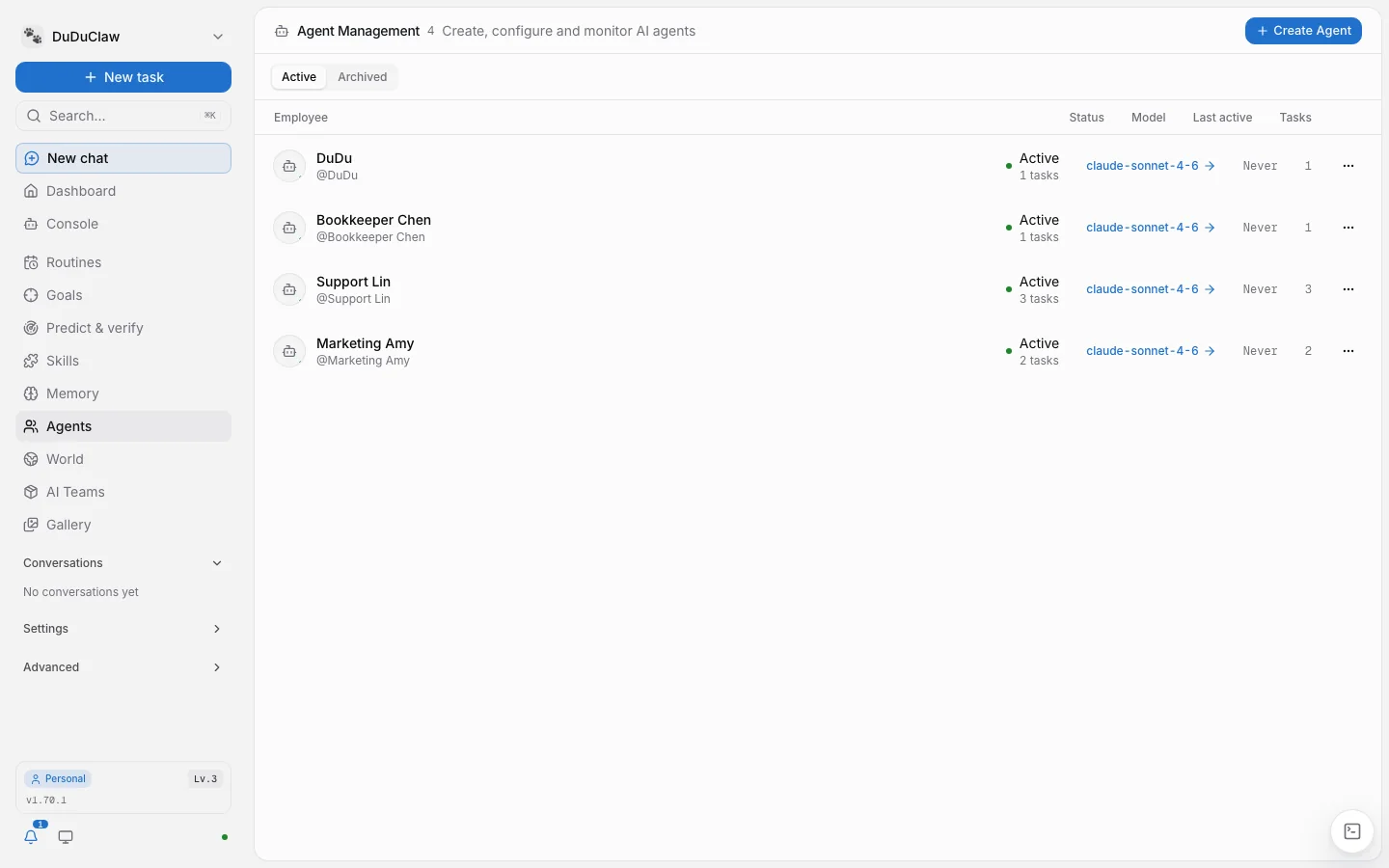
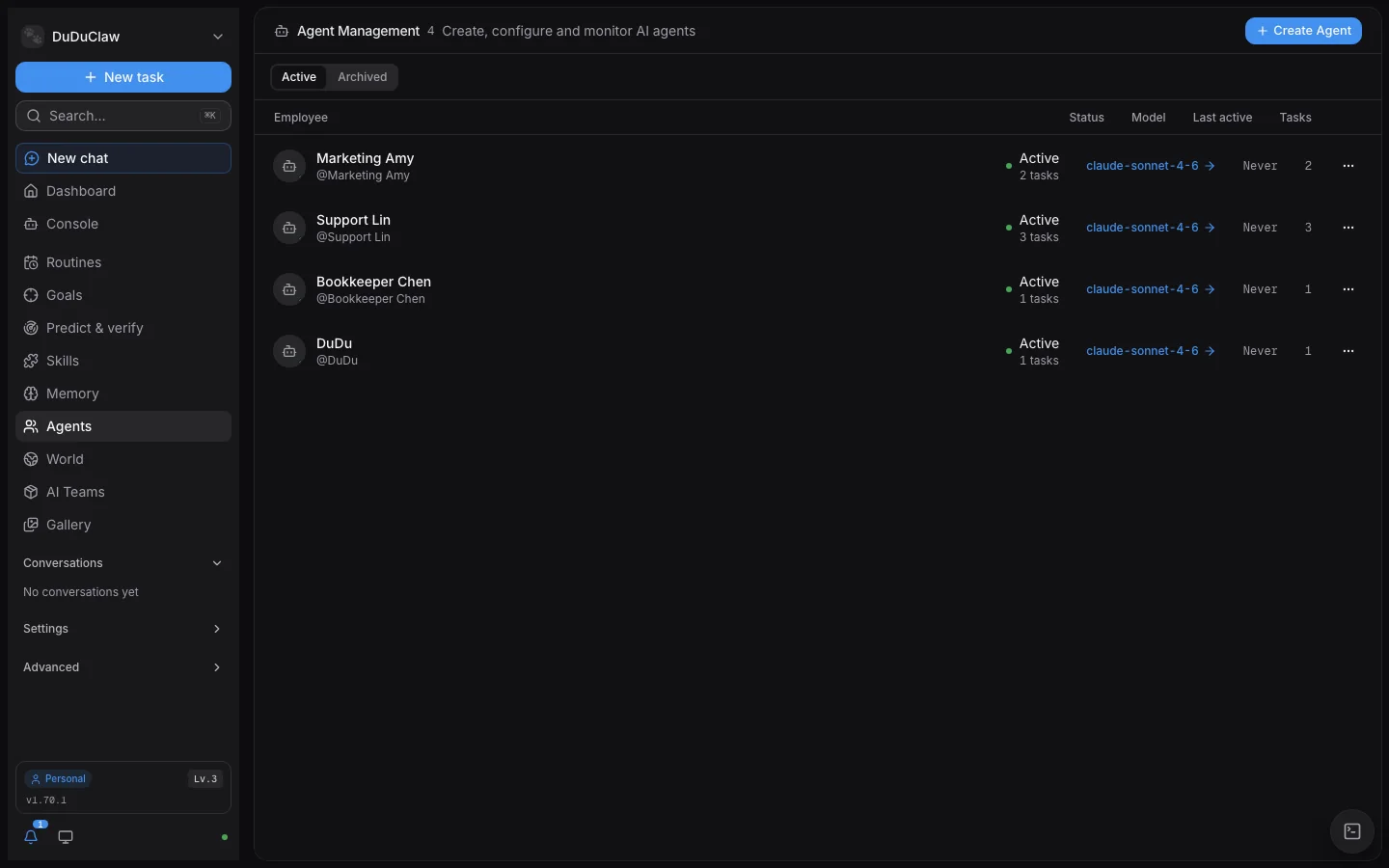
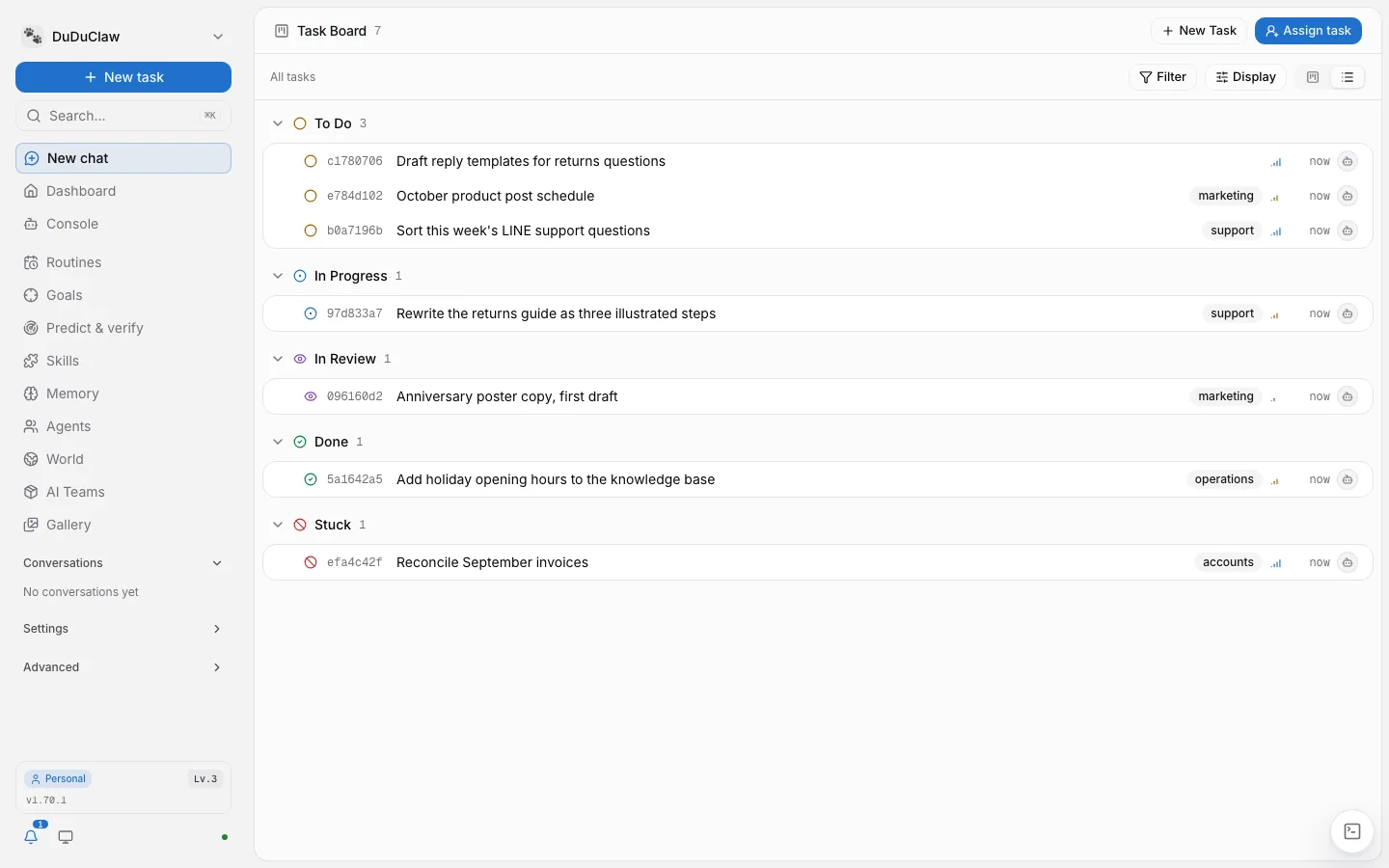
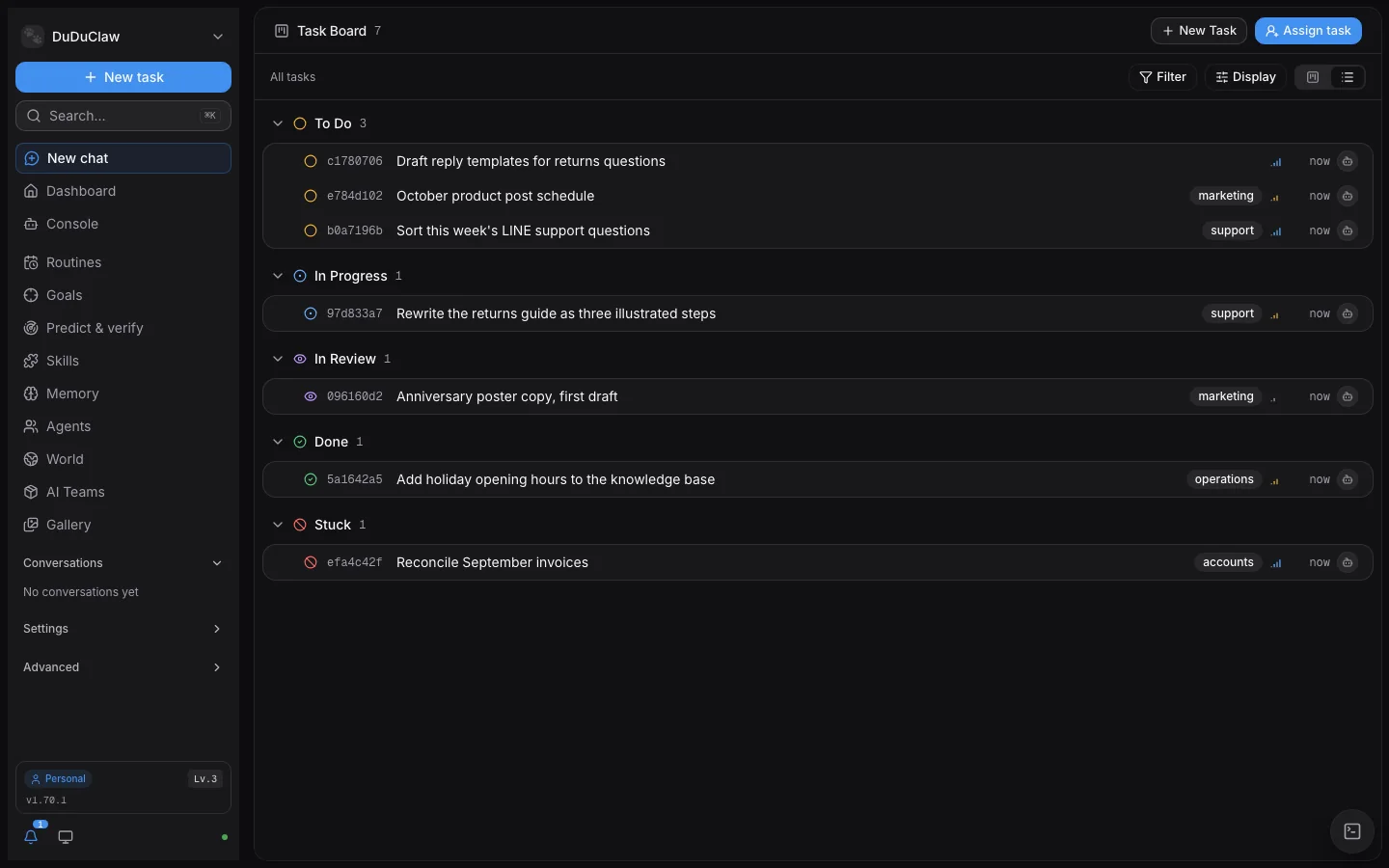
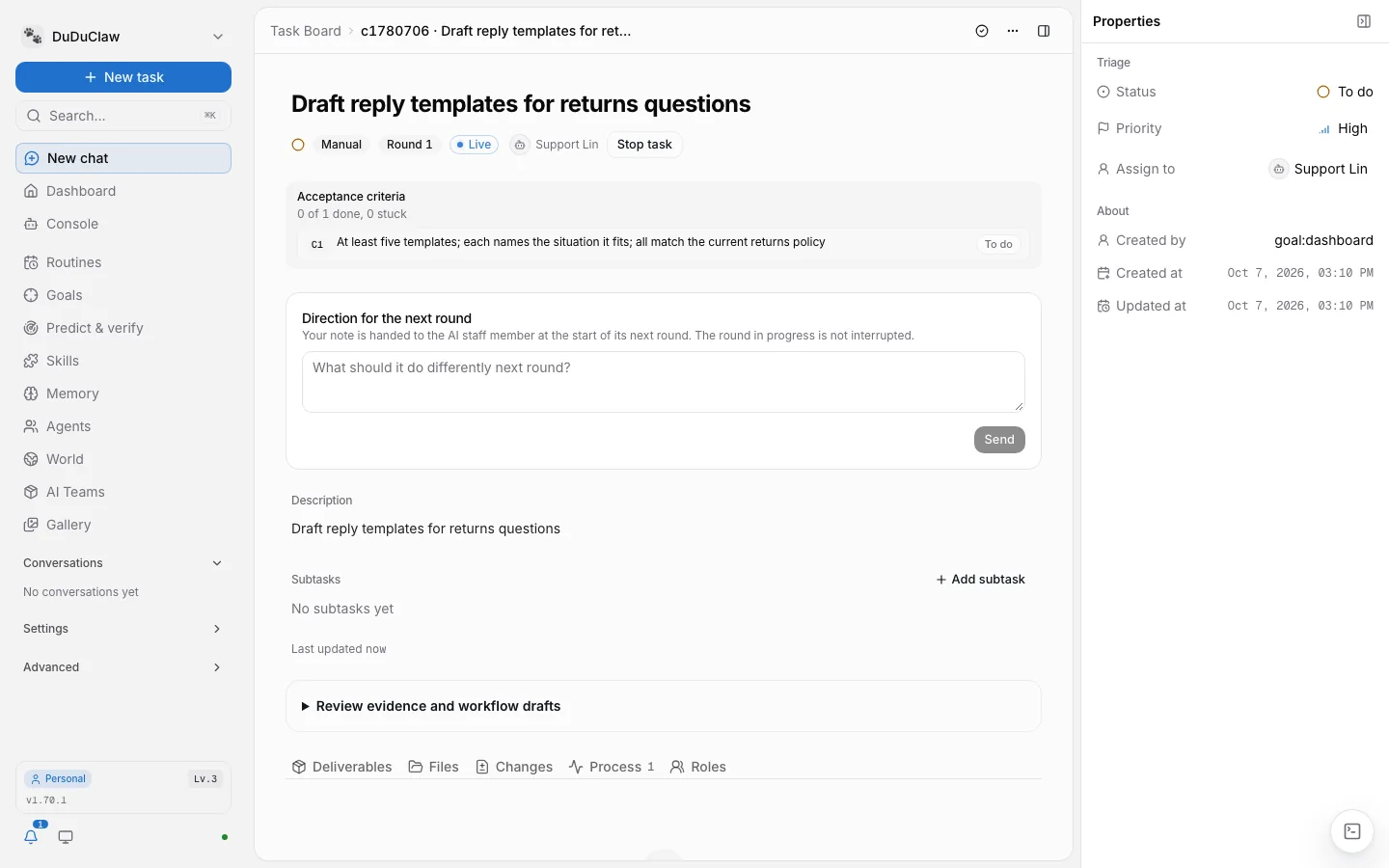
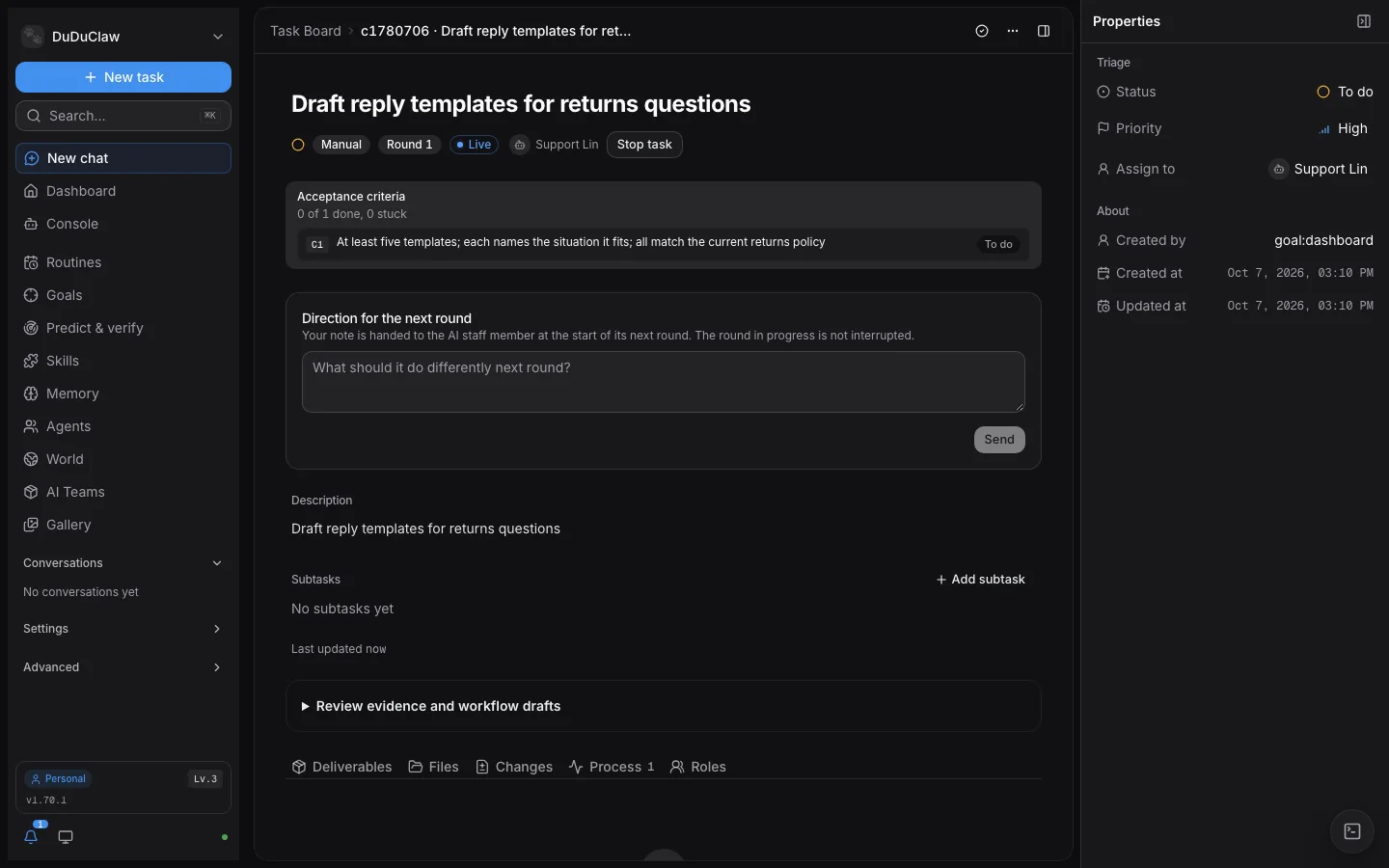
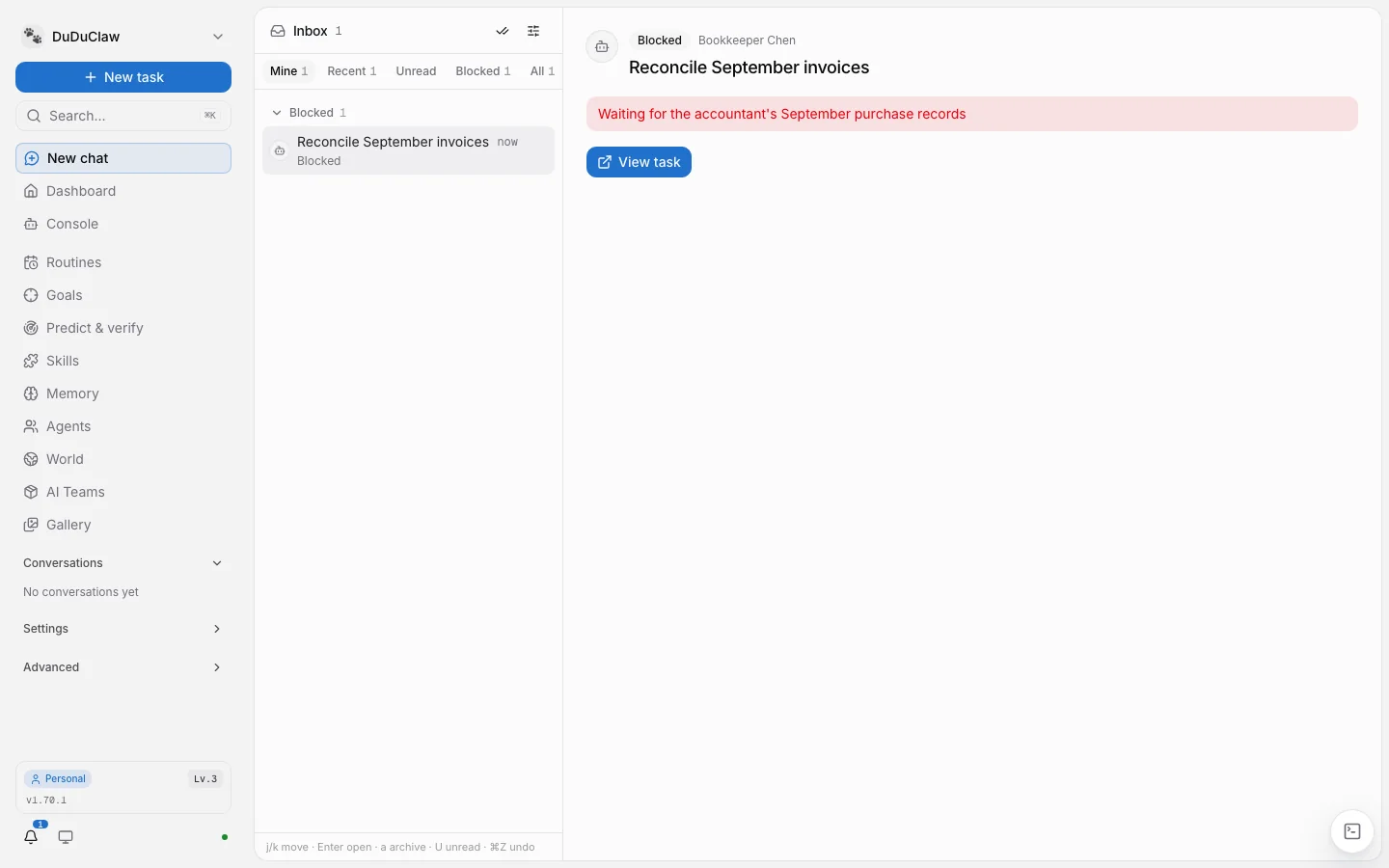
The dashboard ships inside the same binary; start DuDuClaw and open it in a browser. These four screens are from v1.70.1, with demo staff and demo tasks.
Agent Management: one row per AI staff member, with its status, the model it uses and how many tasks it holds.
Task board: tasks grouped by status, from To Do through In Review to Done, with stuck work listed on its own. The toggle at the top right switches back to the kanban view.
Goal task: the acceptance criteria written when the goal was assigned sit at the top, each with its own status. To change course, write a note under "Direction for the next round"; it is handed over when the next round starts.
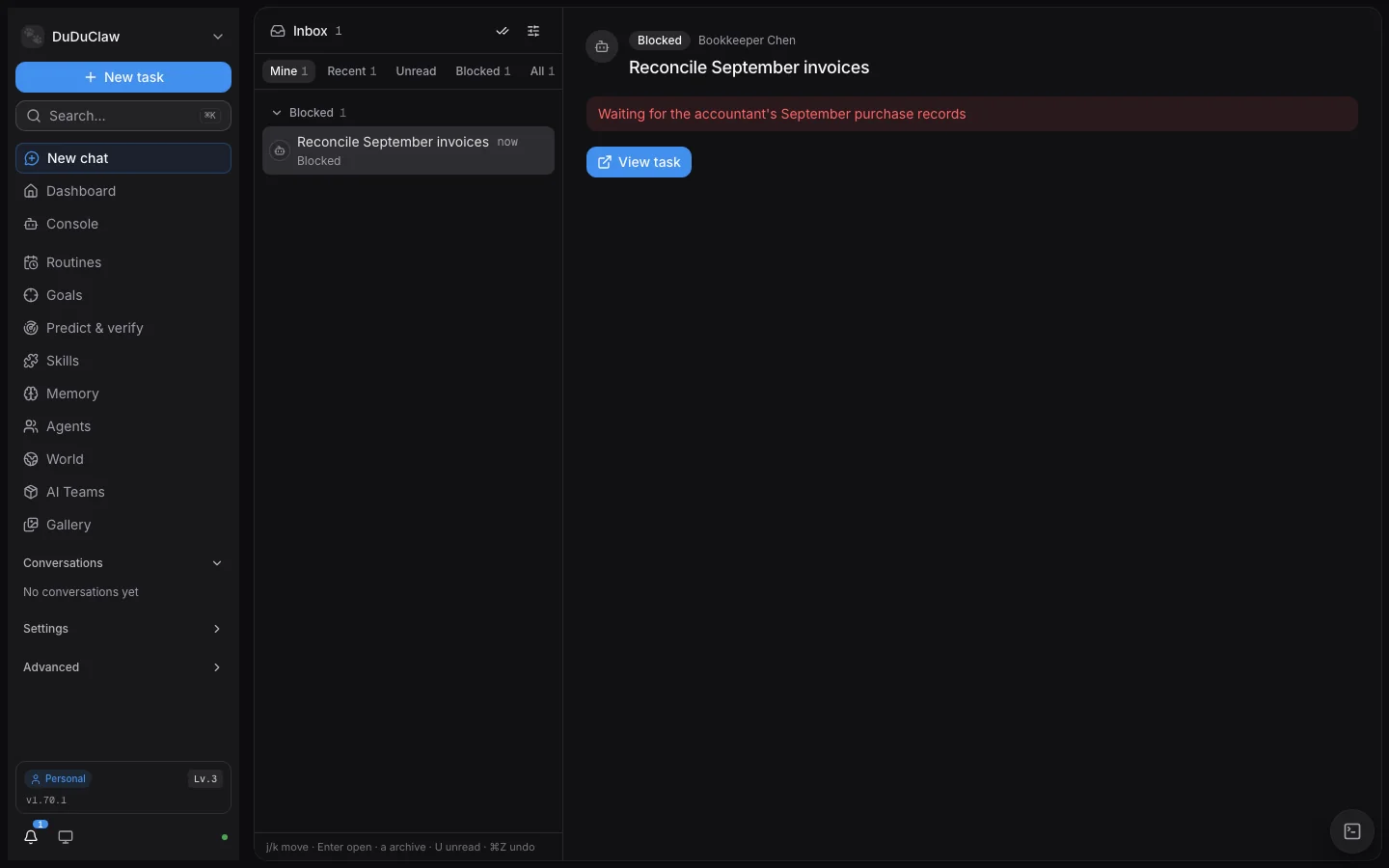
Inbox: blocked work shows up here with the reason it is blocked, and "View task" takes you back to the task.
Screens from v1.70.1, Personal edition (2026-10). The demo staff are not connected to an AI model, so there are no conversations or costs on screen.
Why DuDuClaw
An employee needs three things a CLI lacks
An AI CLI in a terminal answers one question and stops. To handle customer requests on LINE or cover a team's Discord, it also needs acceptance checks, a memory and a ledger. Each card below links to the document it comes from.
Done means a judge accepted it
Hand over a job with /goal and write down the acceptance criteria. When the AI employee says it is finished, a judge checks correctness, completeness and safety (simple one-step goals get correctness and safety only), and the job counts as done only if every check passes. If the judge fails or returns a malformed answer, the task stops and waits for a person; it is never passed automatically.
The criteria are frozen when the goal is created, so the AI employee cannot rewrite its own exam.
Conversation memory lives in a local SQLite file. When a fact changes, the new version replaces the old one and the history stays. Reference documents such as SOPs and policies go into a knowledge base that is injected into answers by layer or searched by the AI employee.
Work sits on a task board: AI employees claim tasks, post progress, and mark a task blocked when they need a person.
The token usage and cost of every call go into a local cost ledger, cost_telemetry.db. For goal tasks, usage is also attributed to the task and the round.
Each AI employee can have a daily spending cap, and a day whose spend strays far from normal triggers an anomaly alert.
Swap the brain, keep the plumbing. The AI runtime calls DuDuClaw's tools over MCP (JSON-RPC 2.0) to send messages, look things up in memory, open tasks and ask other AI employees for help. Switch AI vendors and your channels, memory and tasks stay where they are.
11chat app channels
247MCP tools
12AI CLI backends, plus any OpenAI-compatible API
1binary, dashboard included
The 12 CLI backends include Gemini CLI, which is deprecated and scheduled for removal; new setups should use Antigravity. Local models connect through an OpenAI-compatible server (llama-server, Ollama, vLLM, llamafile). Full lists: multi-runtime execution and MCP tools.
Get started
Three ways to install
Once it is installed, open the dashboard. A setup wizard walks you through picking an AI backend and creating your first AI employee; then paste a bot token on the Channels page to connect a chat app.
Command line (npm)
Needs Node.js 20 or later. Prebuilt binaries for macOS, Linux and Windows, so no Rust toolchain.
npm install -g duduclaw
duduclaw run
Then open http://localhost:18789
Desktop app
Starts the local gateway when you open it, no terminal needed. The macOS build is signed and notarized by Apple; the Windows .msi triggers a SmartScreen warning on first install; Linux gets an AppImage and a .deb.
Already on Claude Code and only want DuDuClaw's tools? The next release adds an MCP-only mode that registers DuDuClaw with your AI CLI in one command.
duduclaw mcp init --client claude-code
The current release does not have this command yet; the docs will cover it once it ships.
Bring an AI brain first. DuDuClaw does not ship a model. Use an AI CLI with an API key, an API key for any OpenAI-compatible service, or a local model server with an OpenAI-compatible interface. The full walkthrough is in Install and quick start.
Enterprise
Enterprise rollout, training and support are provided by our distributor, Future Corp (未來企業股份有限公司)
DuDu Digital Technology Co., Ltd., the maker of DuDuClaw, does not sell directly. To roll DuDuClaw out in your company, arrange training, get a commercial license or ongoing support, contact our authorised distributor, Future Corp.
Apache License 2.0Use, change and redistribute the core freely; self-hosting needs no license fee.
Source on GitHubIf you would rather not run prebuilt binaries, building from source takes three commands.
Commercial add-ons are licensed separatelyPremium industry packs and other commercial add-ons are closed source; the distributor handles their licenses.
Security design
No telemetryNo usage data or conversation content is sent to us. The gateway checks GitHub Releases for updates every 6 hours.
Secrets encrypted on your machineAPI keys and tokens are stored with AES-256-GCM and never leave your machine.
AI employees cannot rewrite their own rulesOn Claude Code, a hook blocks an employee from writing its own SOUL.md or CONTRACT.toml, or another employee's files; coverage per runtime is in the security defense doc.
Verify what you downloadPlatform binaries on GitHub Releases ship with SHA-256, cosign and minisign signatures, and the built-in updater refuses unsigned or tampered releases.
Any one of these: an AI CLI (Claude Code, Codex, Antigravity, Grok and others) with an API key; an API key for any OpenAI-compatible service; or a local model server with an OpenAI-compatible interface (llama-server, Ollama, vLLM, llamafile), which needs no cloud account.
Anthropic and Google do not allow third-party products to use the sign-in tokens of personal accounts, and accounts have been suspended for it, so use an API key.
Does my data leave my machine?
Config, memory, tasks and the cost ledger stay on your machine (~/.duduclaw). When an AI employee answers, the conversation goes to the AI vendor you picked; with a local model it does not leave at all.
DuDuClaw itself sends no telemetry. It checks GitHub Releases for updates every 6 hours, and talks to the license server only when a paid license is installed.
Which chat apps are supported?
Eleven: Telegram, LINE, Discord, Slack, WhatsApp, Feishu, Google Chat, Microsoft Teams, WeCom, DingTalk and WebChat on a web page. On Telegram, Discord and Slack each AI employee can have its own bot account.
Webhook channels such as LINE and WhatsApp need a public HTTPS URL; see the deployment guide.
Does it run on Windows, macOS and Linux?
Yes. The npm package has prebuilt binaries for macOS (Apple Silicon, Intel), Linux (x64, ARM64) and Windows x64. The desktop app comes as a .dmg for macOS, an .msi for Windows, and an AppImage or .deb for Linux.
The Windows desktop app has no Authenticode certificate yet, so SmartScreen shows an "unknown publisher" warning on first install; choose "More info", then "Run anyway".
Can I switch AI vendors later?
Yes, and each AI employee can use a different backend. Channels, memory and tasks stay put when you switch, and the conversation context carries over. See multi-runtime execution.
How does it relate to DuDuClaw OS?
DuDuClaw OS packages the same gateway and dashboard as a whole-machine Linux image built with Yocto. It boots into its own desktop, and a person and the AI share one x86-64 box. It is a pre-GA 0.x release, verified in QEMU only and not yet booted on real hardware.
To run on a computer or server you already have, install DuDuClaw. For a box that runs the moment you plug it in, see the DuDuClaw OS site.
Do I need to write code?
No. The desktop app opens with a setup wizard; with npm it takes two commands, and everything after that happens in the browser. For a company-wide rollout or training, contact our distributor.